

Introduction: Understanding Local Search Optimization
In an era where consumers turn to search engines to find “restaurants near me,” “plumbers in [City],” or “salons close to [Address],” local search optimization (often called local SEO) has become a critical strategy for small businesses, brick‑and‑mortar stores, and service providers. This beginner‑friendly guide explains what local SEO is, why it matters, and how you can implement it effectively without getting lost in jargon.
What Is Local Search Optimization?
Local SEO is a set of tactics designed to improve a business’ visibility in local search results—the geographic, map‑based results that appear when users include location‑specific terms (e.g., “best coffee shop in Seattle”). Unlike traditional SEO, which focuses on ranking broadly for keywords, local SEO zeroes in on the relevance, distance, and prominence of a business to the searcher’s location.
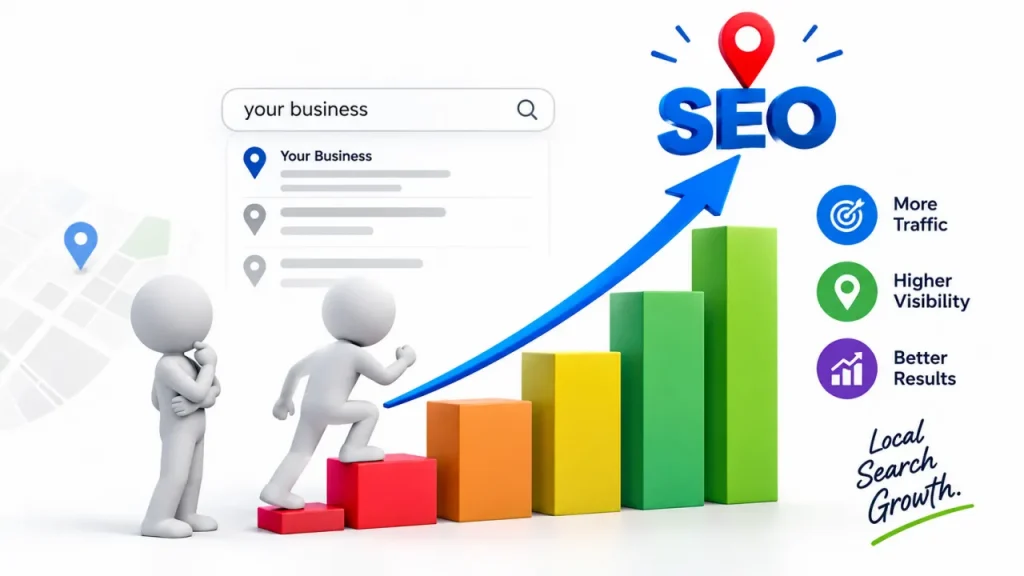
Why Local SEO Matters
- Higher Visibility: Over 46% of all Google searches include local intent. Ranking #1 in local results can drive substantial foot traffic and online inquiries.
- Targeted Traffic: Local searches are often higher‑intent; users looking for “dentist near me” are ready to book appointments.
- Competitive Edge: Smaller businesses can compete against larger chains by optimizing for local signals that algorithms favor.
- Cost‑Effective: Well‑structured local SEO can yield organic traffic, reducing reliance on paid advertising.
Core Elements of Local SEO
1. Google My Business (GMB)
A free, essential tool that creates a business listing on Google Maps and Search. Key GMB features:
- Profile Completion: Accurate name, address, phone number (NAP), business hours, category, and description.
- Photos & Videos: High‑quality images of your storefront, products, and team.
- Posts & Updates: Share events, promotions, or new services to keep your listing fresh.
- Customer Reviews: Encourage satisfied customers to leave positive reviews; respond promptly to feedback.
2. Local Keywords & Content
Incorporate location‑based terms naturally into your website:
- Title Tags & Meta Descriptions: “Best Italian Restaurant in Austin | [Your Name]”
- Header Tags (H1, H2): Use phrases like “Top [Service] Near [City]” in main headings.
- Page Content: Write blog posts or service pages that address local topics (“How to Choose a Plumber in [City]”).
3. On‑Page Optimization
- NAP Consistency: Ensure your business name, address, and phone number are identical across your website, GMB, and other directories.
- Schema Markup: Implement LocalBusiness schema to help search engines understand your business details.
- Location Pages: Create dedicated pages for each service area (e.g., “[Service] in [Neighborhood]”).
4. Local Citations
Citations are online mentions of your NAP in directories, review sites, and local chambers of commerce.
- Major Directories: Google My Business, Yelp, Bing Places, Apple Maps.
- Industry‑Specific Listings: TripAdvisor for restaurants, Angie’s List for contractors, etc.
- Consistency & Completeness: Verify that each citation matches your GMB listing and includes attributes like operating hours and services.
5. Link Building
Earn local backlinks from reputable sources:
- Partnerships: Collaborate with local nonprofits, chambers of commerce, or other businesses for joint promotions.
- Community Engagement: Sponsor local events, write guest posts for neighborhood blogs, or contribute to local news websites.
- Directories & Reviews: Encourage satisfied customers to link back to your website from their own sites or social profiles.
6. Online Reviews & Reputation
Reviews influence both local rankings and consumer decisions.
- Encourage Feedback: Place gentle prompts on receipts, follow‑up emails, or at the end of phone calls.
- Respond Promptly: Acknowledge positive reviews publicly and address any concerns privately and professionally.
- Review Monitoring: Use tools like Keyword tracking software and search engine position reports to watch review trends and resolve issues swiftly.
7. Mobile Optimization
Local searches frequently occur on mobile devices. Ensure:
- Fast Load Times: Optimize images and leverage browser caching.
- Responsive Design: Your site adapts seamlessly to all screen sizes.
- Click‑to‑Call & Map Integration: Enable one‑tap dialing and embedded Google Maps for easy direction access.
Step‑by‑Step Implementation for Beginners
Claim and Verify Your Google My Business Listing
- Sign up at Google My Business.
- Verify via postcard, phone, or email.
- Fill out every section completely and upload high‑resolution photos.
Map Your Local Keywords
- Use Google Keyword Planner or Ubersuggest to find terms like “[Service] + [City]” or “[Product] near me.”
- Prioritize keywords with moderate search volume and low competition.
Optimize On‑Page Elements
- Update title tags, meta descriptions, and headers with your chosen local keywords.
- Add a LocalBusiness schema JSON‑LD snippet to your site’s HTML.
Build Local Citations
- Submit your business to major directories (Google, Yelp, Bing).
- Claim any existing listings that may already mention your business.
Create Local Content
- Write blog posts addressing local events, community involvement, or region‑specific tips.
- Publish location‑specific service pages.
Earn Backlinks
- Reach out to local bloggers or news sites for guest opportunities.
- Partner with neighborhood associations for co‑promotion.
Monitor Performance
- Use daily rank tracking software (e.g., Rankscout) to watch how your local keywords rank.
- Review GMB insights for traffic, actions (clicks, calls, directions), and review trends.
Iterate and Improve
- Adjust content and listings based on performance data and customer feedback.
- Continuously add fresh reviews and updates to keep your profile active.
Tools to Simplify Local SEO
- Rankscout: A best keyword rank tracker offering daily rank tracking tools and automated rank position alerts for local keywords.
- Google Analytics & Search Console: Track organic traffic from local searches, see clicks, impressions, and average position.
- BrightLocal or Moz Local: All‑in‑one platforms for managing citations, monitoring reviews, and generating local SEO reports.
Conclusion
Local search optimization empowers small businesses to compete locally by making them discoverable when potential customers search nearby. By mastering Google My Business, local keywords, citations, reviews, and mobile readiness, you can boost visibility, drive foot traffic, and grow revenue.
Ready to optimize your business for local searches? Start with Rankscout—the leading best SEO rank tracking tool that provides daily rank tracking, keyword ranking report, and automated rank position insights. Top up your tokens today and watch your local rankings skyrocket!