

Introduction: Stop Guessing, Start Measuring
Here’s a question most business owners can’t answer: when your listing appears in a local search result, how often does someone actually click on it?
That gap in knowledge is costing you customers.
Click-through rate — CTR — is one of the most telling performance indicators in local search. It tells you whether your presence in the results is actually doing its job. A high ranking means nothing if searchers are scrolling past you to click on a competitor. Understanding and measuring your local search CTR is the bridge between showing up and winning the business.
The good news is that measuring local search CTR is more accessible than most people realize. With the right tools and a structured approach, you can turn raw data into actionable decisions — and that’s exactly what separates growing businesses from stagnant ones.
This guide walks you through what local search CTR is, why it matters, how to measure it accurately, and how platforms like Rankscout give you the performance visibility you need to act on it.
What Is Local Search CTR and Why Does It Matter?
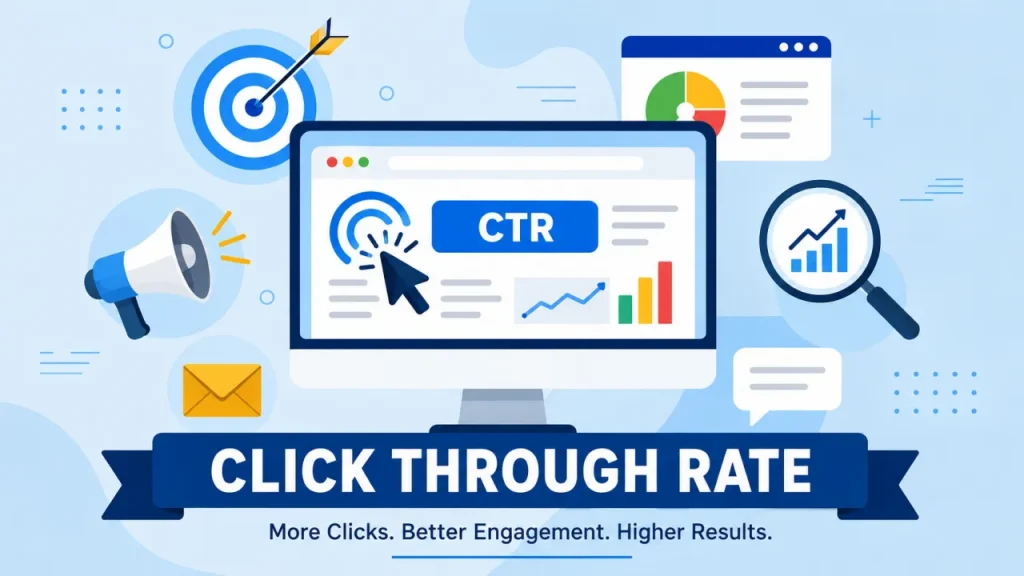
Local search CTR is the percentage of users who see your business in a search result and then click through to learn more. It’s calculated simply:
CTR = (Clicks ÷ Impressions) × 100
So if your listing appears 500 times in local searches this month and receives 40 clicks, your local search CTR is 8%.
Why does this matter? Because impressions without clicks are just noise. You might be ranking on page one for a high-value keyword, but if your CTR is low, something is failing — your title, your description, your relevance, or your competitive positioning.
For sales professionals and agency owners managing multiple business accounts, local search CTR is one of the clearest indicators of how well a client’s search presence is actually performing in the real world. It’s the kind of metric that connects rankings to revenue — and clients respond to that.
The Relationship Between Keyword Tracking and Local Search CTR
You can’t improve your local search CTR without first knowing which keywords are driving impressions. That’s where keyword tracking becomes essential.
Keyword tracking means monitoring specific search terms over time to see how they perform — are they gaining traction, losing ground, or holding steady? When you align your keyword data with your CTR data, patterns emerge quickly.
Identifying High-Impression, Low-CTR Keywords
This is one of the most valuable exercises you can run for any local business. Pull up your keyword data and look for terms where impressions are high but clicks are low. These are your opportunity keywords — search terms where you’re visible but not compelling.
A keyword might generate thousands of impressions every month but a CTR of 1% or 2%. That’s a signal. Maybe the search intent doesn’t match what your listing or page is offering. Maybe competitors are writing more persuasive titles. Maybe your description doesn’t speak to what the searcher actually needs.
When you’re tracking keywords with a tool like Rankscout, you get ongoing visibility into how those terms move over time. That means you’re not looking at a static snapshot — you’re watching performance trends and responding to them. You’ll see when a keyword starts to climb in impressions and know exactly when to optimize your content to capture those clicks.
Matching Search Intent to Improve CTR
One of the most common reasons local search CTR underperforms is a mismatch between what the searcher wants and what your listing promises.
If someone searches “emergency plumber near me” and your result title says “Smith & Co. Plumbing — General Services,” you’re likely to lose the click to a competitor whose title says “24/7 Emergency Plumber — Call Now.” Same ranking position, very different CTR.
Keyword tracking helps you understand what language your potential customers use — and that language should feed directly into how you present your business in search results. The more closely your messaging reflects the actual search terms driving impressions, the higher your local search CTR will climb.
Using Rank Monitoring to Understand CTR Fluctuations
Rank monitoring gives you real-time visibility into where your business stands in search results. And it’s directly connected to CTR performance, because your position in results has a significant impact on how likely someone is to click.
Research consistently shows that the top positions in search results capture a disproportionate share of clicks. Position one earns dramatically more clicks than position five, and position five earns more than position ten. This means that even a small shift in ranking — say, moving from position four to position two — can produce a meaningful increase in your local search CTR without any change to your listing content.
Tracking Rank Changes Over Time
Rank monitoring lets you correlate position changes with CTR movement. If you see a dip in clicks this week, check whether your ranking slipped for key terms. If your CTR suddenly improved, it might be because you climbed a position or two on a high-volume keyword.
This level of visibility transforms how you approach optimization. Instead of making blind changes and hoping for the best, you’re working with real data. You know which moves are making a difference and which aren’t.
For agency owners managing multiple clients, Rankscout’s rank monitoring is especially powerful. You can keep tabs on how every client account is performing across their target keywords — all from a single dashboard — without switching between tools or manually pulling reports.
Spotting Competitive Threats Before They Cost You Clicks
One thing most business owners overlook is that your local search CTR doesn’t just depend on your own performance — it’s also shaped by what your competitors are doing. If a competitor improves their listing, earns more reviews, or climbs in rank, they can siphon clicks away from you even if your ranking stays the same.
Regular rank monitoring lets you spot these competitive shifts early. If you notice your CTR declining but your rank is holding steady, that’s a signal to look at what’s changed in the competitive landscape around you. You can then make informed adjustments rather than reactive guesses.
Measuring Local Search CTR With Analytics Reports
Knowing your CTR is one thing. Presenting it clearly — to yourself, your team, or your clients — is another skill entirely. This is where analytics reports become a critical part of your workflow.
Professional, data-driven reports turn raw numbers into a story. They show where you started, where you are now, and what the trajectory looks like. For sales professionals and agency owners, that narrative is what builds trust and retains clients.
What a Strong CTR Report Looks Like
An effective analytics report focused on local search CTR should include:
- Impression volume — how many times your business appeared in relevant searches
- Total clicks — how many of those appearances resulted in a click
- CTR percentage — the ratio of clicks to impressions over a defined period
- Keyword-level breakdown — which terms are driving the most impressions and which have the best or worst CTR
- Trend lines — how CTR has changed week over week or month over month
When clients can see their local search CTR improving over time alongside their keyword rankings, the value of your work becomes undeniable. You’re not asking them to take your word for it — you’re showing them the data.
Rankscout’s analytics reporting is built exactly for this. You can pull clean, professional reports that give clients a clear picture of search performance, making retention conversations significantly easier.
Using CTR Data to Guide Content and Optimization Decisions
Analytics reports aren’t just for client-facing purposes — they’re a strategic tool. When you analyze CTR trends across your keyword set, you start to see which content topics and search terms resonate most with your audience.
A keyword with rising impressions and improving CTR is a signal to double down — create more content around that topic, optimize your existing pages, and make sure your messaging is sharp. A keyword with high impressions but consistently low CTR is a content and messaging problem waiting to be solved.
This kind of data-driven decision-making is what separates high-performing SEO strategies from guesswork. And when you have a platform that centralizes this data across multiple clients or business locations, the efficiency gains compound quickly.
Scalable Client Management for Measuring CTR Across Multiple Accounts
If you’re an agency owner or a sales professional managing several business accounts, measuring local search CTR at scale requires more than a spreadsheet and a handful of browser tabs. You need a system.
Rankscout’s client management dashboard is designed specifically for this. All your client accounts live in one place, giving you a consolidated view of performance without the administrative overhead of juggling multiple logins or disconnected reports.
Why Centralized Management Improves CTR Oversight
When your client data is fragmented, things fall through the cracks. You might catch a CTR problem for one client two weeks after it started because you weren’t checking that account regularly. With a centralized dashboard, you have consistent visibility across every account — meaning you catch issues early and act on opportunities faster.
This matters for CTR specifically because it’s a metric that can move quickly. A ranking shift, a competitor change, or a seasonality trend can affect CTR within days. The faster you spot the change, the faster you can respond.
Reporting Efficiency Across Your Client Base
With streamlined client management, building and distributing analytics reports becomes a scalable process rather than a time sink. You can pull performance data — including CTR trends — for each client without starting from scratch every time.
For agency owners trying to grow their client base without growing their overhead, this efficiency is the difference between sustainable scaling and burning out on administrative work.
Flexible Growth With Token Top-Ups and Promo Codes
Scaling your CTR monitoring and analytics capabilities doesn’t have to mean a sudden jump in fixed costs. Rankscout’s token-based system gives you flexibility to grow at your own pace.
Tokens let you pay for what you need, when you need it. If you’re onboarding a new client and need to ramp up your keyword tracking and rank monitoring capacity, a quick token top-up gets you there immediately. There’s no waiting for a billing cycle or negotiating a new contract tier.
Promo codes add another layer of flexibility — allowing you to reduce costs during growth phases, pass savings on to clients, or test expanded service levels without full financial commitment upfront.
For sales professionals prospecting new clients, this model is particularly useful. You can demonstrate the value of CTR tracking and analytics reporting at a lower entry cost, then scale up as the client relationship matures.
Key benefits of the token system:
- Scale up or down based on your current client load
- No long-term contracts locking you into a fixed spend
- Apply promo codes to manage costs during growth phases
- Get started in seconds — top up and activate new tracking immediately
Conclusion: Turn Local Search CTR Into Your Competitive Edge
Measuring local search CTR isn’t a nice-to-have — it’s a fundamental part of understanding whether your search presence is actually working. Every impression that doesn’t convert to a click is a missed opportunity, and without data, you have no way of knowing how many opportunities you’re leaving on the table.
The path from guessing to winning runs through four core capabilities: precise keyword tracking that shows you which terms are driving visibility, rank monitoring that connects position changes to CTR performance, analytics reports that make the data clear and compelling, and scalable client management that lets you apply all of this across every account you handle.
Rankscout brings all of these capabilities together in one platform — built for the professionals who are serious about performance.
Ready to start measuring what actually matters?
Sign up for Rankscout today. With flexible token top-ups, you can get started in seconds — no lengthy setup, no locked-in contracts. Load your first tokens, set up your keyword tracking, and start building the kind of CTR data that drives real decisions.
Your competitors are already in the results. The question is whether you’re winning the clicks.